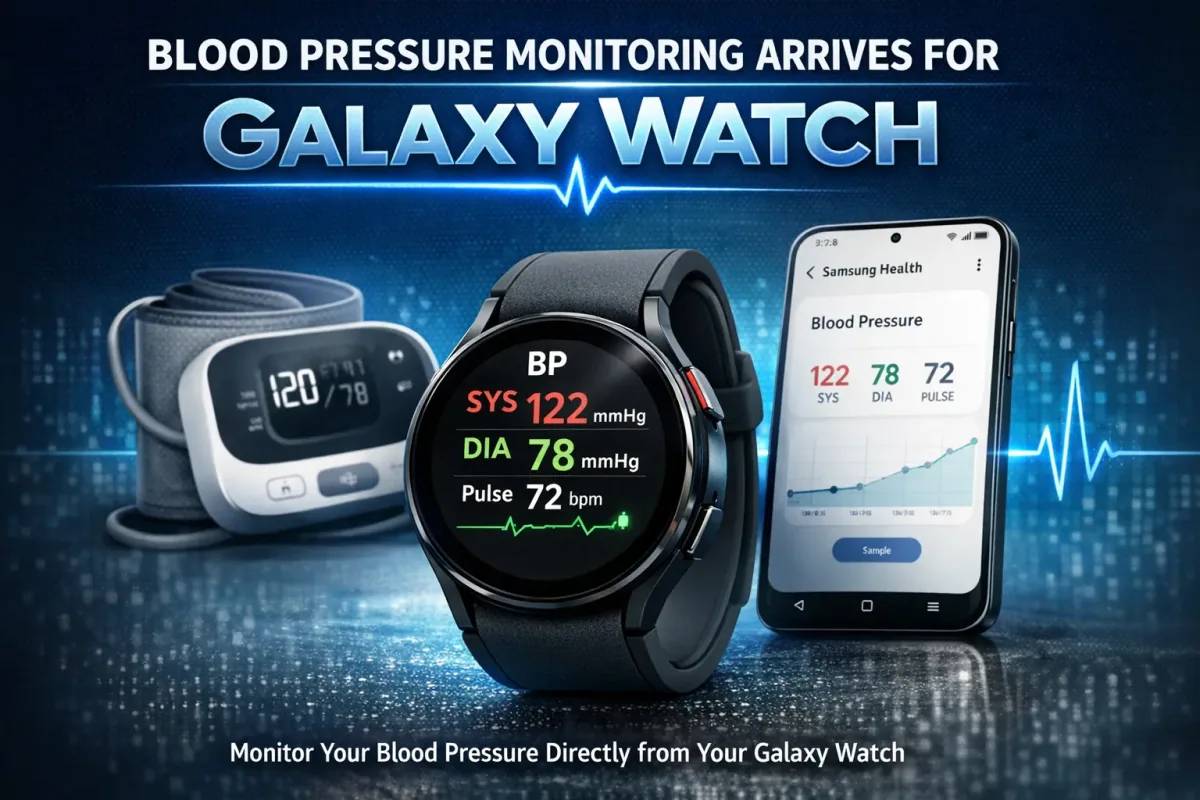
Galaxy Watch users in the United States can now track their blood pressure right from their wrist. Samsung officially rolled out the feature on March 31, 2026, through the Samsung Health Monitor app. If you have been holding out for this capability, the wait is finally over.
High blood pressure quietly affects nearly 120 million American adults. Most people only discover a problem during a doctor visit. A Galaxy Watch changes that equation. It puts real health data on your wrist, between those appointments, when it actually matters.
Why US Galaxy Watch Users Waited So Long
Samsung introduced blood pressure tracking on the Galaxy Watch Active 2 back in 2020. Since then, the feature has been available in more than 70 countries. Canada had it. South Korea had it from day one. The US did not.
The hold-up came down to regulatory hurdles. The FDA requires explicit clearance for health monitoring features on consumer devices. Samsung already secured FDA approval for Irregular Heart Rhythm Notifications and Sleep Apnea detection. The blood pressure feature needed its own path through that process.
It took years. Now it is here. According to the CDC, nearly half of all American adults live with hypertension. The stakes for getting this right were always high.
Also Read : Telenor IoT Ends the Multi-APN Headache With One Global Network Solution
Which Galaxy Watch Models Support Blood Pressure Tracking
Not every Galaxy Watch gets the update, but the list of compatible devices is extensive. The feature supports Galaxy Watch 4 and all later models. Here is what you need:
- Galaxy Watch 4 or newer
- Watch OS 4.0 or higher on the watch
- Android OS 12 or higher on your paired Galaxy phone
- Samsung Health Monitor app installed via the Galaxy Store
If you own a Galaxy Watch 8, Galaxy Watch 8 Classic, or the Galaxy Watch Ultra (2025), you are in prime position. These watches carry the most advanced sensor hardware in Samsung lineup and read every measurement with greater precision.
One important limitation worth noting: the blood pressure feature only works when your Galaxy Watch pairs with a Samsung Galaxy phone. Non-Samsung Android phones do not qualify. This is an FDA compliance requirement, not a Samsung design preference.
How the Blood Pressure Monitoring Feature Actually Works
The Calibration Step You Cannot Skip
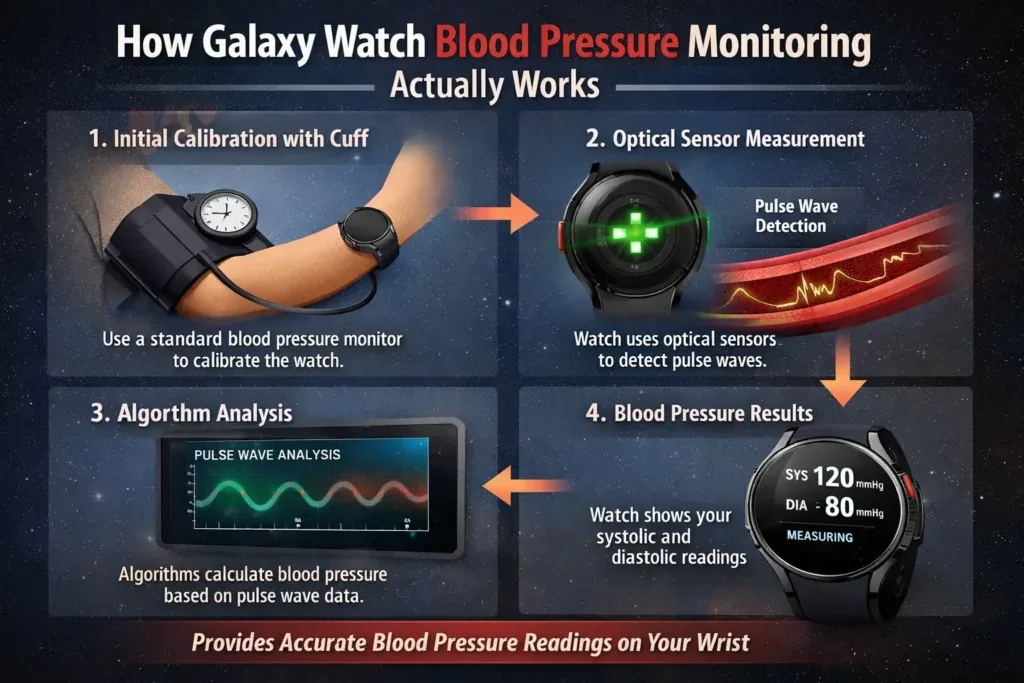
This feature does not work straight out of the box. Before your Galaxy Watch takes a single reading, you must calibrate it using a traditional upper arm blood pressure cuff. That cuff is sold separately and is not included with any Galaxy Watch model.
Calibration establishes a personal baseline. Your watch learns how your individual pulse wave pattern corresponds to your actual blood pressure values. Without that baseline, the readings mean nothing.
After the initial setup, you must recalibrate every 28 days. Set a reminder. Skipping recalibration causes your readings to drift and become unreliable over time.
The Science Behind the Wrist Readings
Standard blood pressure cuffs measure pressure directly. They squeeze your arm and detect exactly how much force your blood exerts against the artery walls.
Galaxy Watch takes a different approach. It uses pulse wave analysis through its built-in optical heart rate sensors. The watch detects subtle changes in the speed and shape of your pulse to estimate systolic and diastolic values. It is an indirect measurement, which is exactly why the 28-day calibration matters so much.
The American Heart Association recommends consistent at-home monitoring as a key part of managing hypertension. A calibrated Galaxy Watch fits naturally into that routine, giving you daily data without daily trips to a clinic.
Reading Your Results
Once calibrated, your Galaxy Watch measures both systolic pressure (the top number) and diastolic pressure (the bottom number), along with your current heart rate. Results appear directly on your watch face or inside the Samsung Health Monitor app on your phone.
The app also builds a trend history over time. That history becomes genuinely useful when you sit down with your doctor. Instead of one isolated reading taken under the stress of a clinic visit, you bring weeks of real-world data.
What This Feature Is Not Designed to Do
Samsung is clear about this, and it matters. The blood pressure monitoring feature does not diagnose high blood pressure. It does not treat any medical condition. It does not replace a conversation with your doctor.
Think of it as an awareness tool. It helps you spot trends. It alerts you when your numbers look unusual. It keeps you informed between medical appointments. But a doctor still makes the call on diagnosis and treatment.
The Mayo Clinic explains that accurate readings require consistent technique and the right conditions. Sit still for five minutes before measuring. Keep your feet flat on the floor. Rest your arm at heart level. These habits apply whether you use a cuff or a smartwatch.
Also Read : SK Telecom and Ericsson Lock In a 6G and AI-RAN Alliance That Could Redraw the Global Telecom Map
Galaxy Watch vs Apple Watch: The US Blood Pressure Race
Apple beat Samsung to this milestone. The Apple Watch received FDA clearance for hypertension detection in September 2025. That gave Apple a six-month head start in the US market.
The two approaches differ in meaningful ways. Apple Watch detects hypertension as a pattern over time. Galaxy Watch actively measures and displays individual systolic and diastolic readings session by session. Both serve users well. The right choice depends on what kind of data you want from your wrist.
Samsung has also teased passive monitoring, a future update that will show blood pressure trends over time without requiring manual measurements. That feature arrives later in 2026 and could change the comparison considerably.
How to Get Started With Blood Pressure Monitoring on Your Galaxy Watch
Samsung rolls the feature out gradually, so you may not see it immediately. Check your Samsung Health Monitor app for an update notification. Here is the setup process once it appears:
- Open the Samsung Health Monitor app on your Galaxy phone
- Navigate to the Blood Pressure section and tap Enable
- Follow the in-app prompts to perform initial calibration with your upper arm cuff
- Take three consecutive cuff readings as directed by the app
- Your Galaxy Watch stores the baseline and begins tracking from that point
The app walks you through every step with clear instructions. Most users complete the full setup in under ten minutes.
Blood Pressure Tracking Fits Into a Bigger Health Picture
Samsung did not build this feature in isolation. It joins a growing suite of health tools inside Samsung Health. Galaxy Watch users already have access to Sleep Apnea detection, Irregular Heart Rhythm Notifications, ectopic beat detection, and continuous heart rate tracking.
Blood pressure monitoring ties it all together. Hypertension connects directly to heart disease risk, sleep quality, and exercise tolerance. When your watch tracks all of these signals in one place, you gain a clearer picture of how your daily habits affect your cardiovascular health.
For the 120 million American adults living with hypertension, that kind of ongoing awareness can genuinely change behavior. Seeing your numbers rise after a stressful week, or drop after consistent exercise, motivates action in a way that quarterly doctor visits rarely do.
Final Thoughts
Samsung delivered something US Galaxy Watch users deserved years ago. The timing frustrates, but the feature itself delivers real value. Accurate calibration, clear readings, trend history, and seamless integration into Samsung Health make this a meaningful health tool.
Set up your calibration, stay on the 28-day schedule, and start building a record of your cardiovascular health. Your future self, and your doctor, will thank you for it.
Frequently Asked Questions
1. Can Galaxy Watch measure blood pressure without a cuff?
No. You need an upper arm cuff for the initial calibration and every 28 days after that. The cuff establishes the baseline your Galaxy Watch uses to estimate blood pressure through its optical sensors. Without calibration, the readings are not reliable.
2. Which Galaxy Watch models support blood pressure monitoring in the US?
The feature works on Galaxy Watch 4 and all newer models, including the Galaxy Watch 8, Watch 8 Classic, and Watch Ultra (2025). Your watch must run Watch OS 4.0 or higher, and your paired Galaxy phone needs Android 12 or above.
3. Is Galaxy Watch blood pressure monitoring FDA approved?
Samsung has not explicitly confirmed full FDA clearance for this specific feature. The rollout strongly suggests regulatory approval, as Samsung already holds clearance for Sleep Apnea and heart rhythm features. The feature is not intended to diagnose or treat any medical condition.
4. How accurate is blood pressure monitoring on the Galaxy Watch?
Accuracy depends on consistent calibration with a certified upper arm cuff every 28 days. The watch uses pulse wave analysis rather than direct arterial measurement, so following setup instructions carefully and maintaining good measuring habits keeps readings as reliable as possible.